Vulnerability Remediation Agent
A single CVE can span many managed devices — remediation meant stitching together risk, device targeting, and deployment by hand, across Defender and Intune. VRA’s loop — Connect, Enable, Run, Remediate, Track — pulls that into one guided flow built to reduce the time it takes to investigate, identify, and remediate threats.
- Role
- Lead UX · concept through Public Preview
- Scope
- Defender + Intune, fleet scale
- Outcome
- Guided, prioritized remediation inside Intune — designed to cut the investigate-identify-remediate cycle from a manual, multi-tool effort to a single reviewed flow
“Supercharging IT Efficiency: Meet the Vulnerability Remediation Agent” — Julia Idaewor, Intune PM, Microsoft. Watch video directly ↗
A single CVE (Common Vulnerabilities and Exposures) could touch thousands of devices at once. Remediating it meant pulling threat signal from Defender, cross-referencing it against Intune’s device inventory, and manually building a deployment plan — risk assessment, device targeting, grouping, and rollout strategy, stitched together by hand across two products and two teams. Nothing about that process scaled.
VRA needed permissions spanning two products, not one — read access to Defender’s vulnerability data, plus read access to Intune’s apps and device configurations. Getting that right was the first real test of whether the framework’s access model held up across a product boundary, not just within Intune. That cross-product reach is also why VRA runs under its own dedicated Microsoft Entra agentic identity, distinct from how the other agents handle permissions — operating across Defender and Intune, rather than within one product, needed an identity model built for it.
The other early problem was volume, not access. CVEs don’t arrive one at a time, and admins had no way to know what mattered most in the pile. Before VRA could recommend anything, it had to rank what it was looking at.
I owned the UX end to end — discoverability, setup, the approval workflow itself, and the patch-deployment summary at the close of a session — and co-led navigation and modal alignment with the Entra team so admins moving between the two products didn’t feel a seam.
The framework staged autonomy deliberately — crawl, walk, run. For VRA, the open question was how much of that staged model to design upfront.
Design Guided mode, redesign later
Design the interaction model for Guided mode only, and redesign it later as Assisted and Autonomous modes became real.
Design for all three levels upfront
Design for all three autonomy levels from day one. Only Guided and Assisted shipped at launch, but the model didn’t need to change shape when Autonomous mode does.
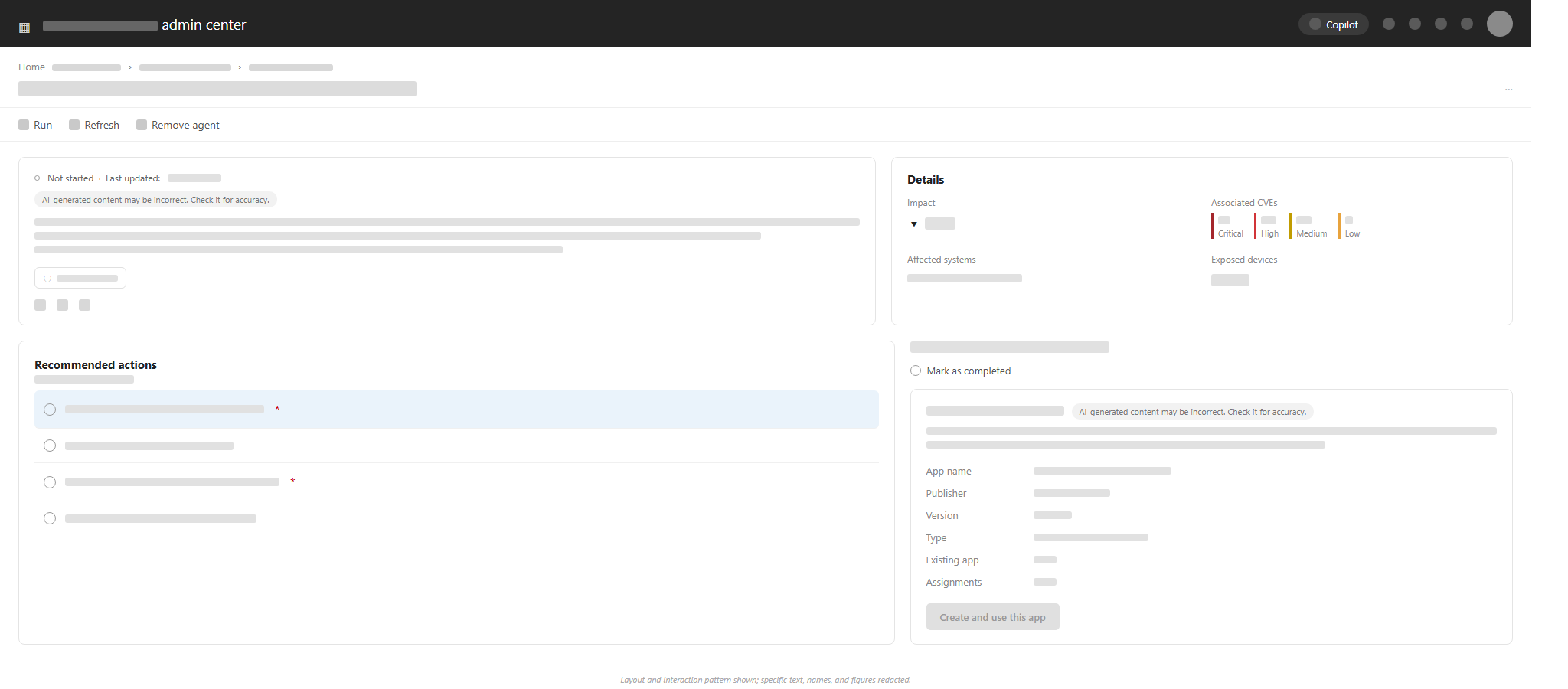
Dedicated vulnerable-device groups kept execution targeted and remediation scope clear — admins deployed to a defined set, not a moving target. Marking a suggestion applied isn’t automatic confirmation the fix worked, either — it’s a timestamped record the admin attests to, something to track future runs against, not a signal the agent verified anything on its own.
Connect, Enable, Run, Remediate, Track
The agent’s operating loop, start to finish.
Connect
Defender CVE data + Intune device context, as one signal.
Enable
Provision the agentic identity, delegate its permissions.
Run
On demand or scheduled — ranked by CVSS, exposure, device count.
Remediate
Step-by-step, Intune-ready guidance per CVE.
Track
Mark as applied — a timestamped record, run over run.
From constant threats to prioritized fixes.
Turning a flood of signals into a ranked, actionable remediation plan.
The signal
Evolving CVEs
New vulnerabilities published daily.
Defender threat signals
Continuous stream from Microsoft.
New devices enrolling
Fleet changes continuously.
Current queue by priority
The plan
Ranked by exploitability
Grouped by device impact
Mapped to a recommended plan
Ready for admin review
Admin reviews before anything deploys.
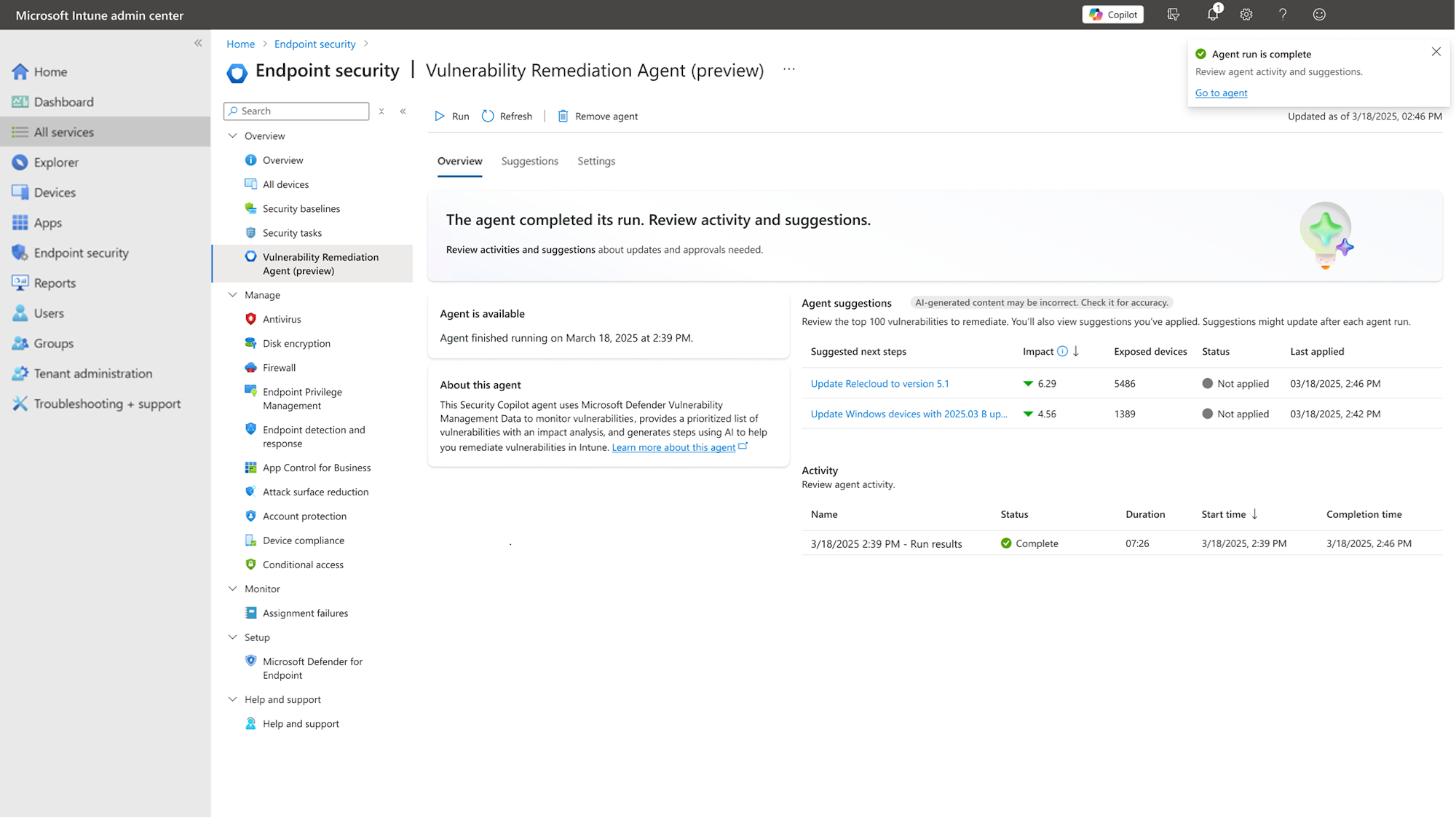
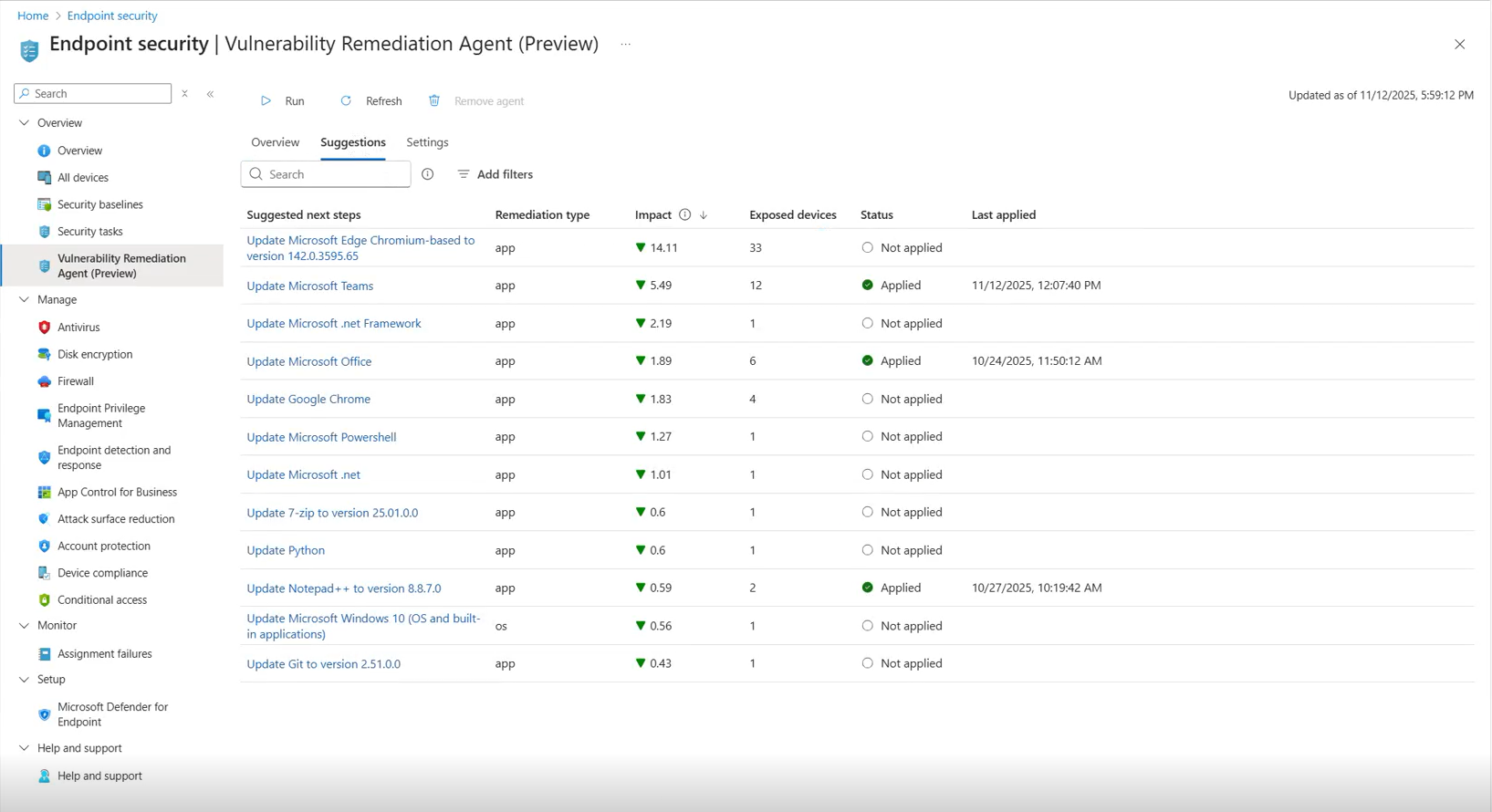
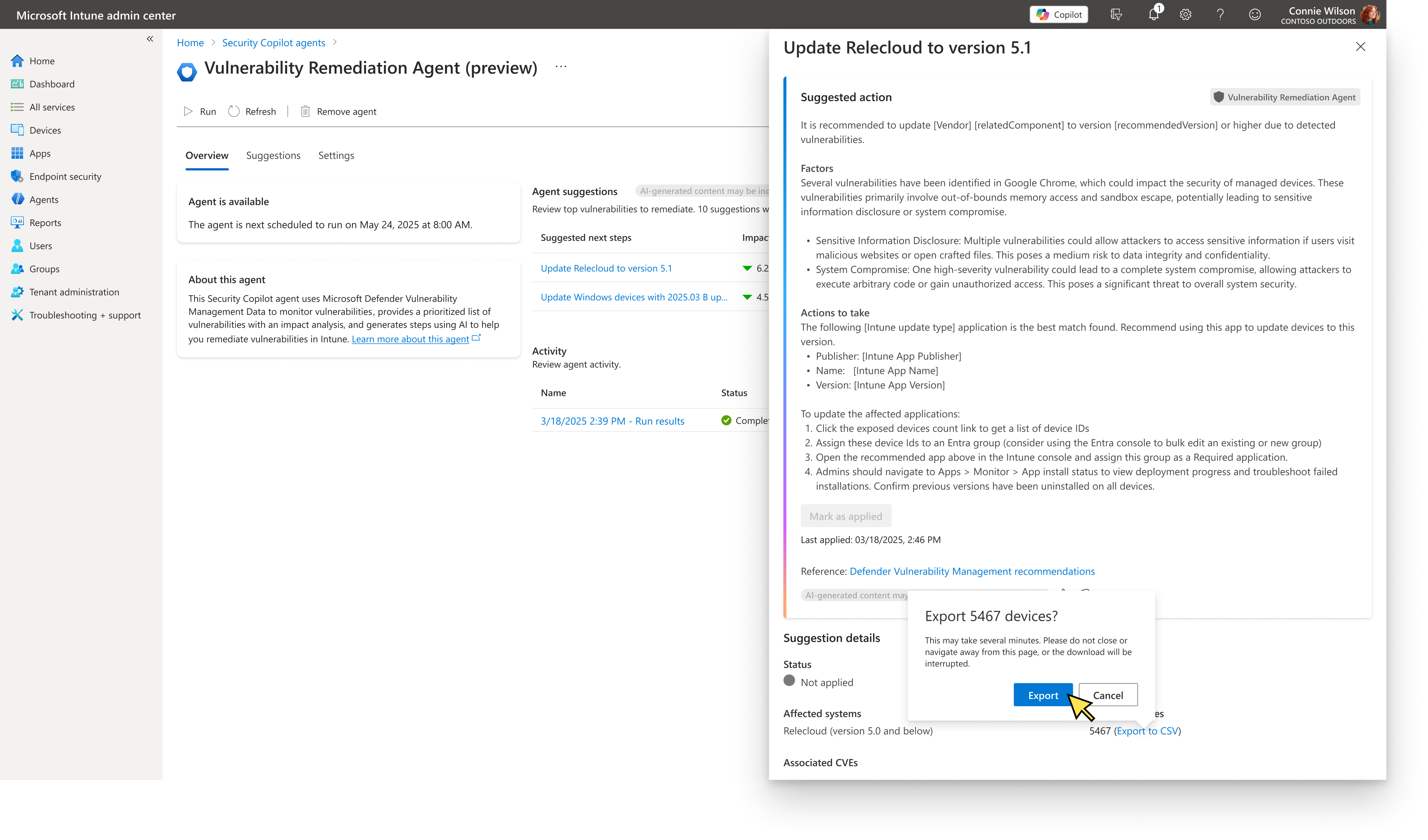
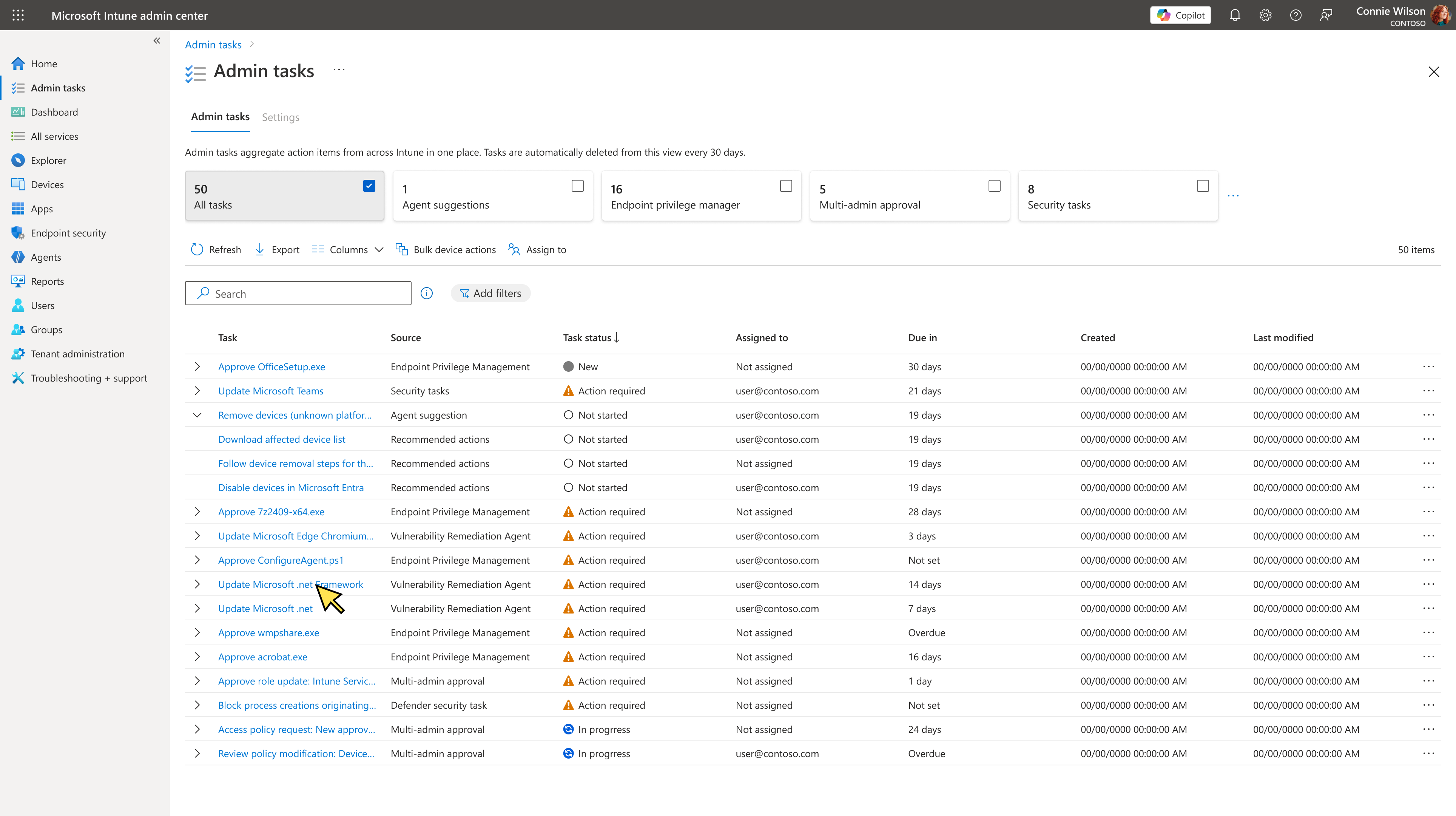
Shipped feature, published by Microsoft — learn.microsoft.com. Shown as reference for the shipped experience.
I designed the interaction model to support all three autonomy levels from the start — a deliberate bet that cost more upfront for a smoother path later. That bet is still paying off: there’s more in active development beyond what’s shipped today, some of which I can’t detail here yet.
As the flagship agent, VRA also set precedent for every agent that followed. Built within Fluent and Intune’s shared, cross-product component library rather than custom, one-off patterns — slower than a bespoke build, but it meant VRA felt like it belonged in Intune from day one, not like a bolted-on AI feature.
VRA was the agent chosen for the first public showcase of Security Copilot Agents to the press, at RSA. It happened under embargo, on a compressed timeline, with requirements shifting until literally the last minute — I worked through the weekend to get it demo-ready. There was no margin for it to go sideways: this wasn’t just VRA’s debut, it was the framework’s first impression on the outside world, and as the flagship agent, it had to hold up in front of the press, not just an internal review.
Design for the full roadmap even when shipping less of it — it’s cheaper to build the extensible version once than to redesign for the next stage later.
Admins don’t think in terms of which product owns which permission — they just want the seam between Defender and Intune to disappear. Hiding that boundary mattered as much as any single screen.
Staged autonomy earns trust faster than jumping straight to automation — crawl, walk, run beats a single leap that asks for more confidence than anyone’s earned yet.